iMessage apps act differently

I downloaded a few iMessage apps and some went only into iMessage, but some created an icon on my main screen. Is this normal? Thanks.

MacBook Pro, OS X Yosemite (10.10.4), iPhone 6 iOS 10

Posted on Sep 27, 2016 2:32 PM

Reply
1 reply

Sep 28, 2016 1:47 PM in response to iinami

Hi there iinami!

Thanks for bringing your question about iMessage apps that also appear on your home screen to the Apple Support Communities. iMessage apps has been one of my favorite new iOS 10 features and it's my pleasure to help you out today.

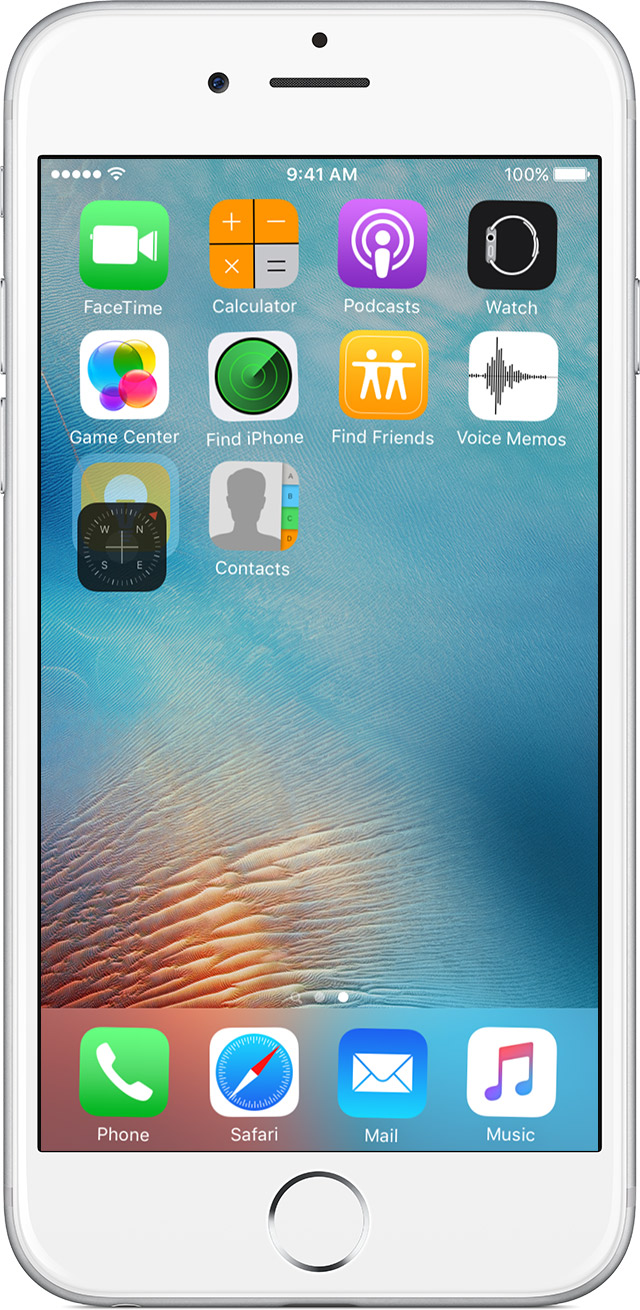
Many apps that are for iMessage are also for iOS, so when you download an iMessage app, if the developer also has a version for iOS, then you will get a complete package including the iMessage part as well as the full app. If they take up space on your home screen, you can hold your finger on one and drag it over another and simply put them into a folder.

Put apps in a folder

If you have many apps, you might want to put related apps in folders.

User uploaded file

To make a folder, drag an app onto another app.


User uploaded file

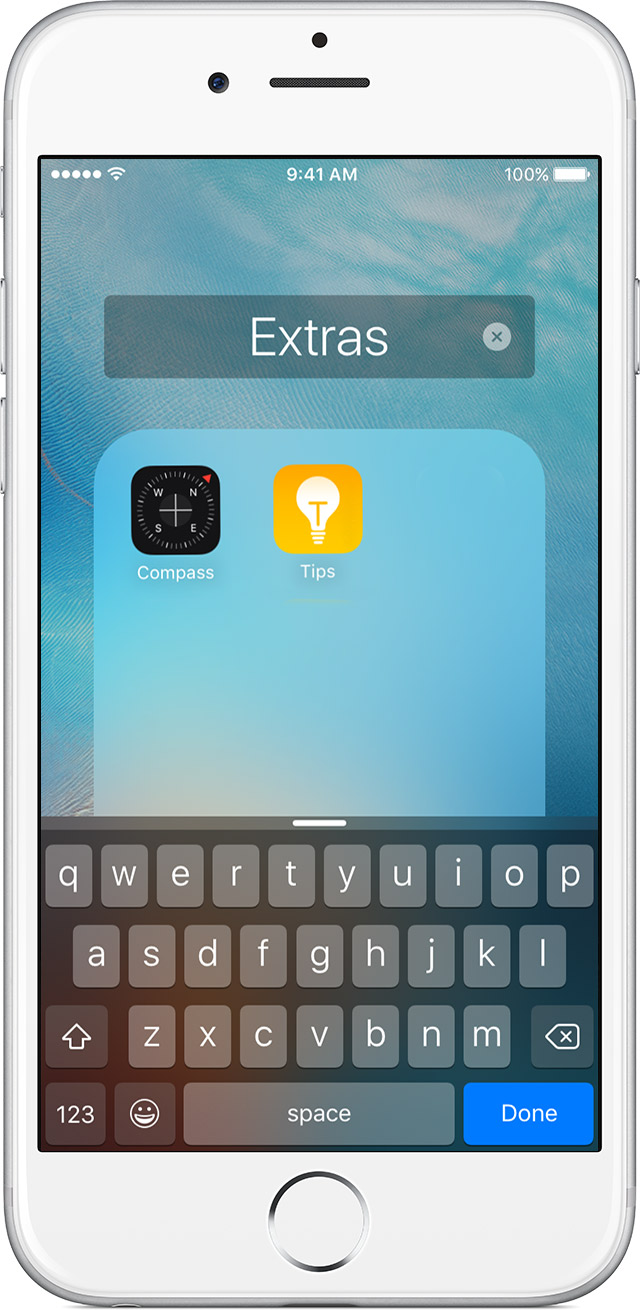
If you want to rename the folder, tap the name field or User uploaded file and then enter the new name.


User uploaded file

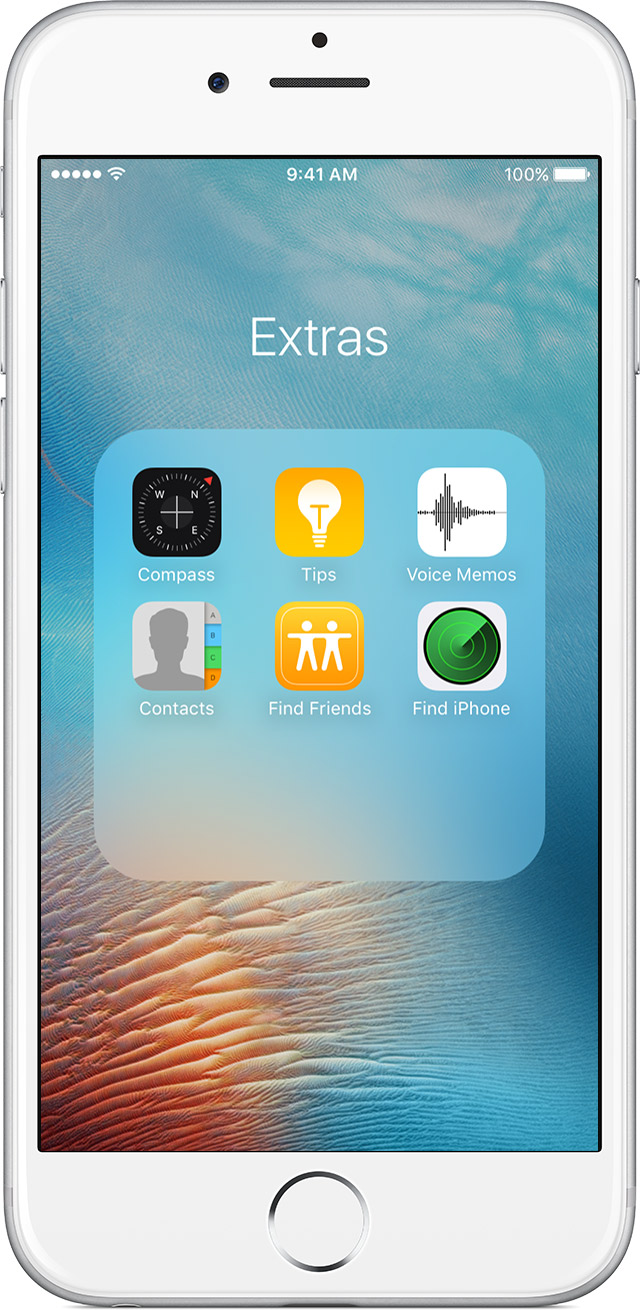
Now that you have a folder, you can drag apps into it. Folders can have more than one page.

If you want to learn more about what you can do in iOS 10, check out this article:

iPhone Tips
Have a great day!

This thread has been closed by the system or the community team. You may vote for any posts you find helpful, or search the Community for additional answers.

iMessage apps act differently

Welcome to Apple Support Community
A forum where Apple customers help each other with their products. Get started with your Apple Account.